Add comments to a document: how to add comments to a Word document
Add comments to a document: select a word or a sentence, press New comment, type the note and send it. The Comments pane stays open, so replies and resolved threads sit beside the text. Open a DOCX and download a file that keeps every thread.
- Threads with replies
- Resolve and filter
- Author and time
- DOCX keeps comments
- Works with
- .docx
- .dotx
- .docm
- .txt
- .md
- .html
How to add comments to a document
Open your DOCX
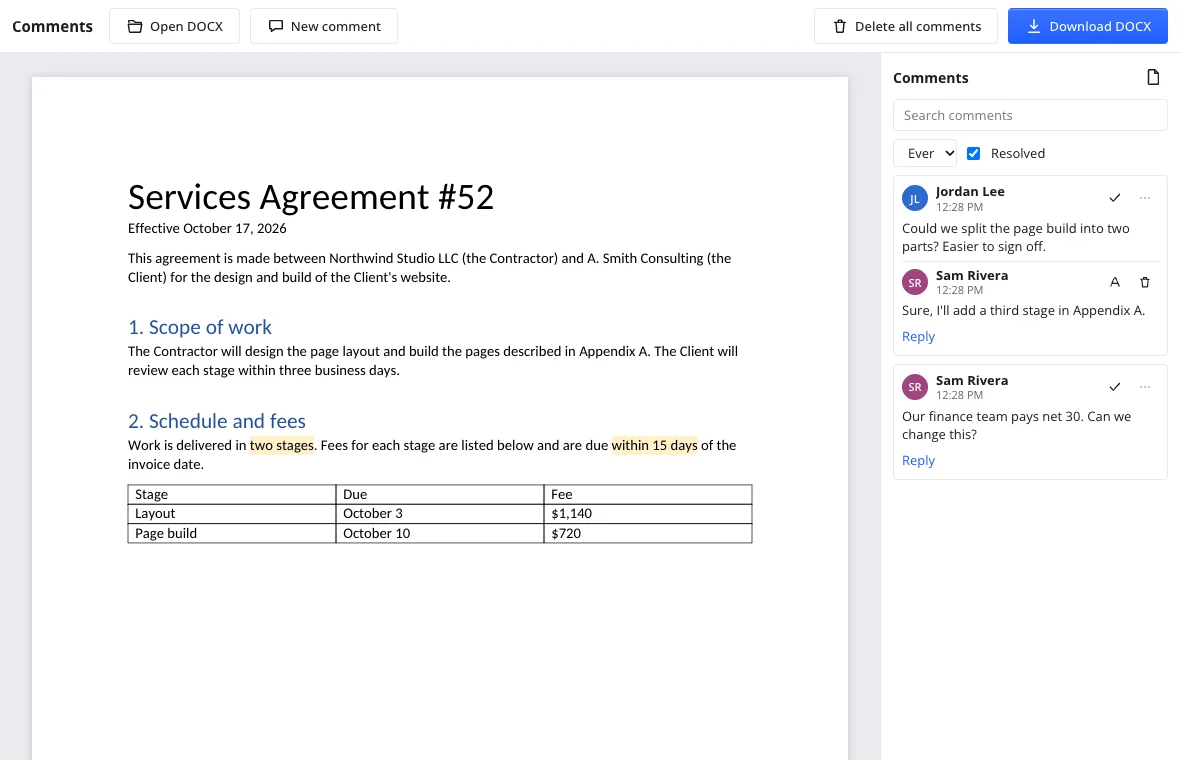
Press Open DOCX and pick a DOCX, DOTX or DOCM file; it is read in the browser. The Comments pane lists every thread with author and time.
Select text and write
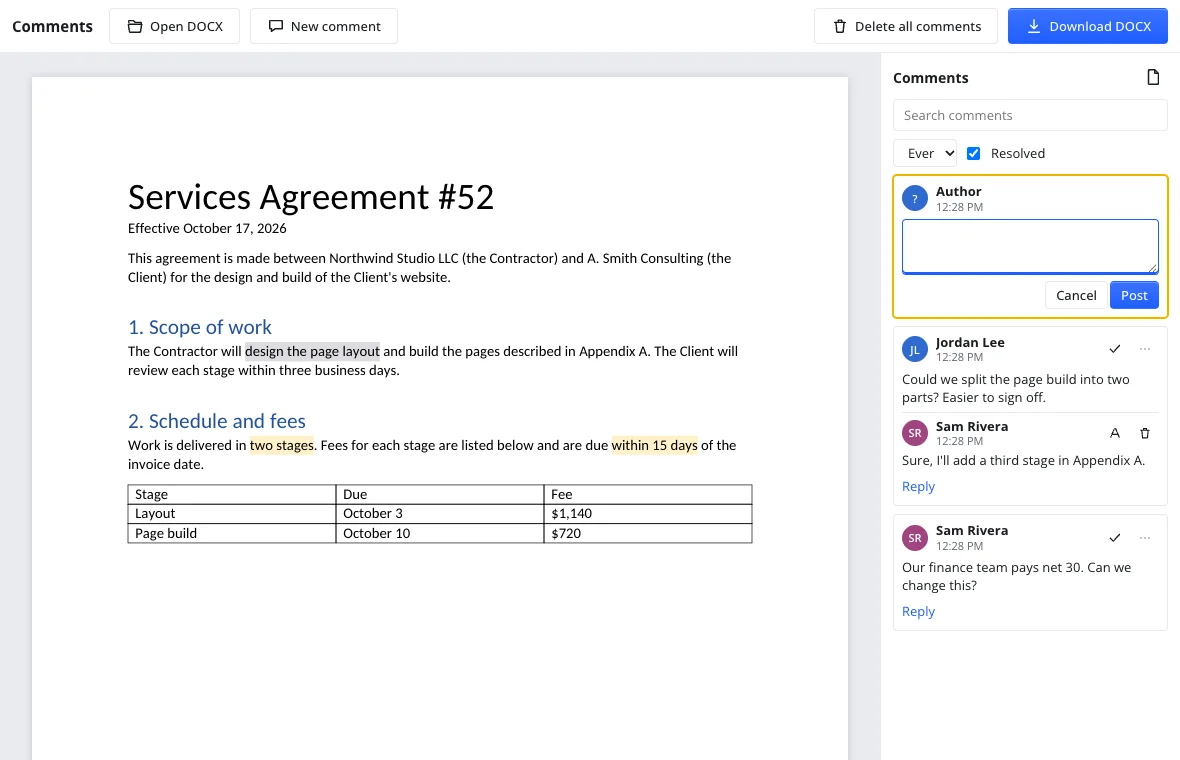
Select a word or a sentence and press New comment. Type the note and press Post; text is highlighted and the thread appears in the pane.
Reply and resolve
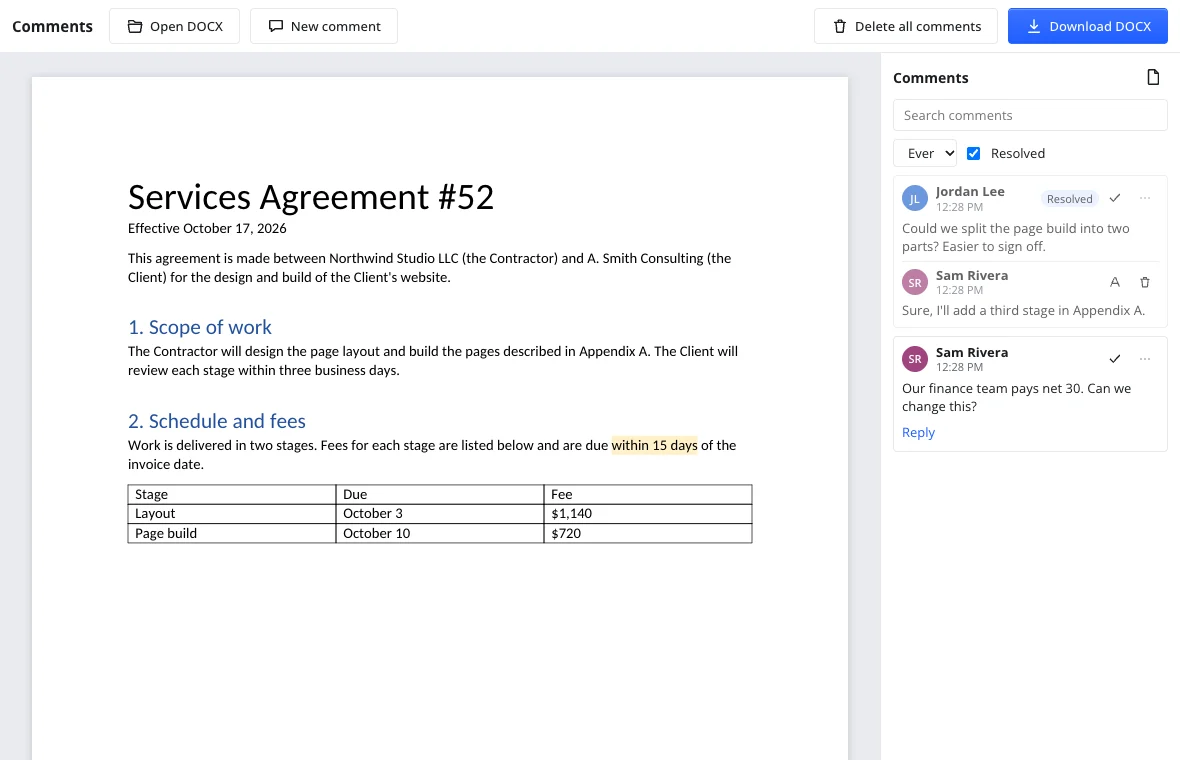
Press Reply to answer in the thread. When it is settled, press Resolve thread; Reopen brings it back. The Everyone filter and Resolved checkbox narrow it.
Use cases
Discussing a document with colleagues
Review a proposal in one file: every note carries its author and time.
Feedback on a paper
An advisor comments; the author replies and resolves it.
A cover letter or college essay
A mentor's suggestions sit next to the sentence, so you can compare wording.
How do I add comments to a Word document?
Open the DOCX, select the words you want to discuss and press New comment. Type the note and press Post; the text is highlighted and the thread appears in the pane. A DOCX from a desktop word processor opens with its comments, and a file downloaded here opens there with ours.
Can I add comments to a document in SharePoint?
Not here. This page opens DOCX files from your device and does not connect to a document library or its version comments. Download the file, open it with Open DOCX, comment and download again.
Can I add comments to a LaTeX or Overleaf document?
No. This tool comments DOCX text documents only: a .tex file will not open. If the text also exists as a DOCX, open that copy here; otherwise export the manuscript to DOCX first.
Features
| Feature | What you get |
|---|---|
| New comment | Select text and write a note; the text is highlighted. |
| Replies | Answer under any comment; author and time are shown. |
| Edit and delete | Edit a note or remove one comment. |
| Resolve and reopen | Resolve a thread and reopen it if needed. |
| Mentions | Type @ to pick a reviewer; notifications are not sent yet. |
| Search and filters | Search, filter by person, show or hide resolved. |
| Download DOCX | Comments, replies and resolved state stay. |
Comments next to tracked changes
Comments show why a change is needed; track changes online records the change itself. For a fixed copy, use the DOCX to PDF converter.
Privacy
Comments run in your browser: the DOCX is read on your device and nothing is uploaded. Without an account, closing the tab clears the document. To keep a file, download it or save it from the editor. There is no real-time co-editing: one person edits and downloads the DOCX; the next opens it. This edition follows GDPR.
Frequently asked questions
Support: [email protected]
How do I add comments to a Word document?
Open the DOCX, select the words you want to discuss and press New comment, or place the caret. Type your note and press Post; the text is highlighted and the thread appears in the Comments pane. A DOCX from a desktop word processor opens with its comments, and a file downloaded here opens there with yours. Desktop word processors have the same kind of commands.
How do I add comments to a document online?
Use this page: it runs in the browser, so nothing is installed and no account is needed. Open a DOCX, select a word or a sentence, write the note and send it. Reply, resolve and filter threads, then download the DOCX.
Can you add comments to a PDF document?
No. This tool comments DOCX text documents only; a PDF will not open here. If you have the source document, save it as DOCX and open that copy instead. The comments you make here stay tied to the document text and its threads.
Can you add comments to an Excel document?
No. Spreadsheets and slides are not supported: this tool opens DOCX, DOTX and DOCM files and anchors comments to words and paragraphs, not cells or sheets. An XLSX file will not open here. For workbook notes, use a spreadsheet editor; this page is for DOCX reports.
How can you add comments to an HTML document?
You cannot do it here. The tool works with DOCX documents and their text; an HTML file will not open. If the text exists as a web page, save it as a DOCX first. Comments attach to text, not page markup.
Can I mention a reviewer with @?
Yes. While writing a comment, type @ and a list of the document's reviewers appears; pick a name. Mention notifications are not sent yet, so tell the reviewer another way. Editing and replying work as usual, and resolved threads can be reopened.
Is it free? Is there a watermark?
Yes, it is free. Opening a DOCX, writing comments, replying, resolving threads and downloading cost nothing, with no trial and no watermark. An account is needed only to save to cloud storage from the full editor; without one, download the DOCX.
Is it safe to upload documents?
Nothing is uploaded: the DOCX is read in your browser and the comments are handled on your device. Without an account, closing the tab clears the document. This edition follows GDPR; if you sign in, files stay in your cloud space.
More tools
Track changes
Track changes online: review a DOCX, accept or reject edits, download the result.
Spell check
Spell check online: find and fix misspelled words in text or a document.
Word counter
Count words and characters live, plus reading and speaking time.
DOCX to PDF
Convert documents to PDF in the browser with the layout intact.
Letter template
Printable letter templates: cover, business, resignation, thank-you and more.
Resume template
Make a resume online: pick a template, fill it in, download DOCX or PDF.
Documents
A full word processor in the browser, from cover letters to term papers.
Add comments to a document: how to add comments to a Word document
Add comments to a DOCX online: threads, replies, resolved notes and a clean download.
Open the editor