Track changes online: review a Word document in the browser
Track changes online without installing anything: open a DOCX and every insertion, deletion and formatting change is recorded with its author and time. The Reviewing pane lists each change on the right; accept or reject one change or all of them, then download a DOCX that still carries real tracked changes. No sign-up is needed to start.
- Every edit recorded with author and time
- Simple, all, no markup and original views
- Accept or reject one change or all
- Download a DOCX with real tracked changes
- Works with
- .docx
- .dotx
- .docm
- .txt
- .md
- .html
How it works: track changes online word by word
Open your DOCX
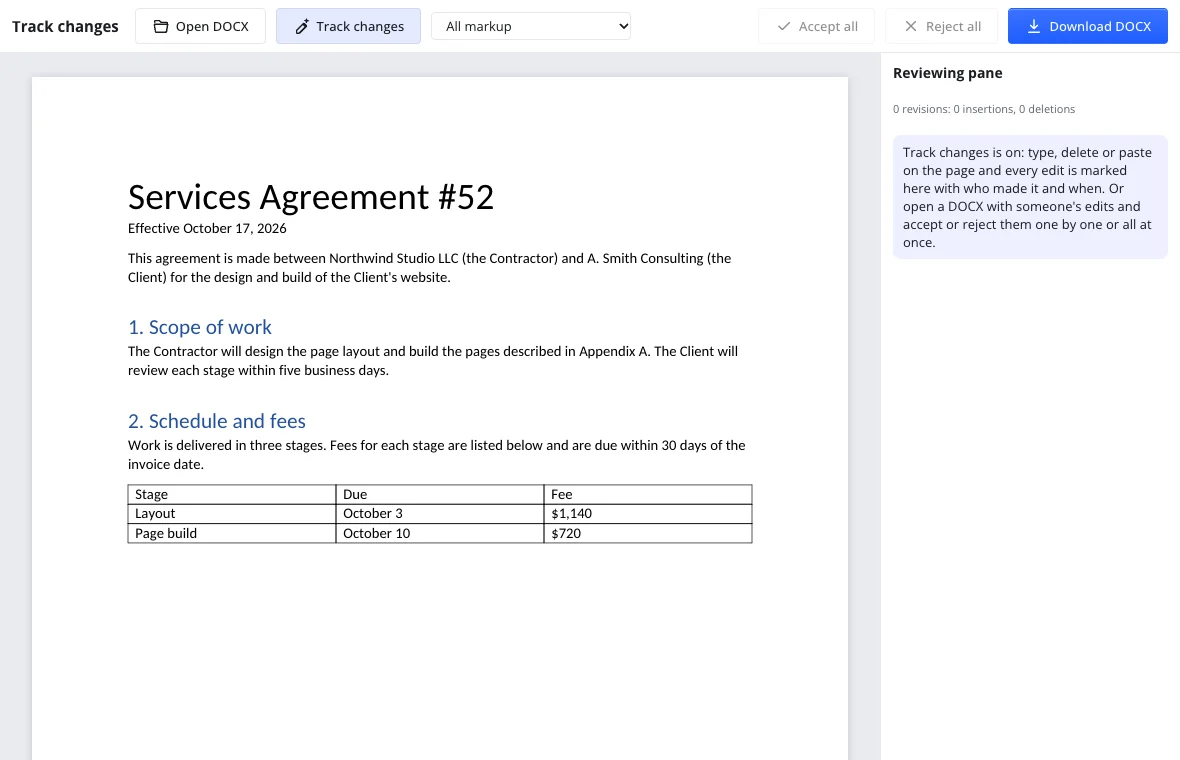
Press Open DOCX and pick a DOCX, DOTX or DOCM file. It is read in the browser. On a blank page recording is already on, so the first word you type becomes a tracked change.
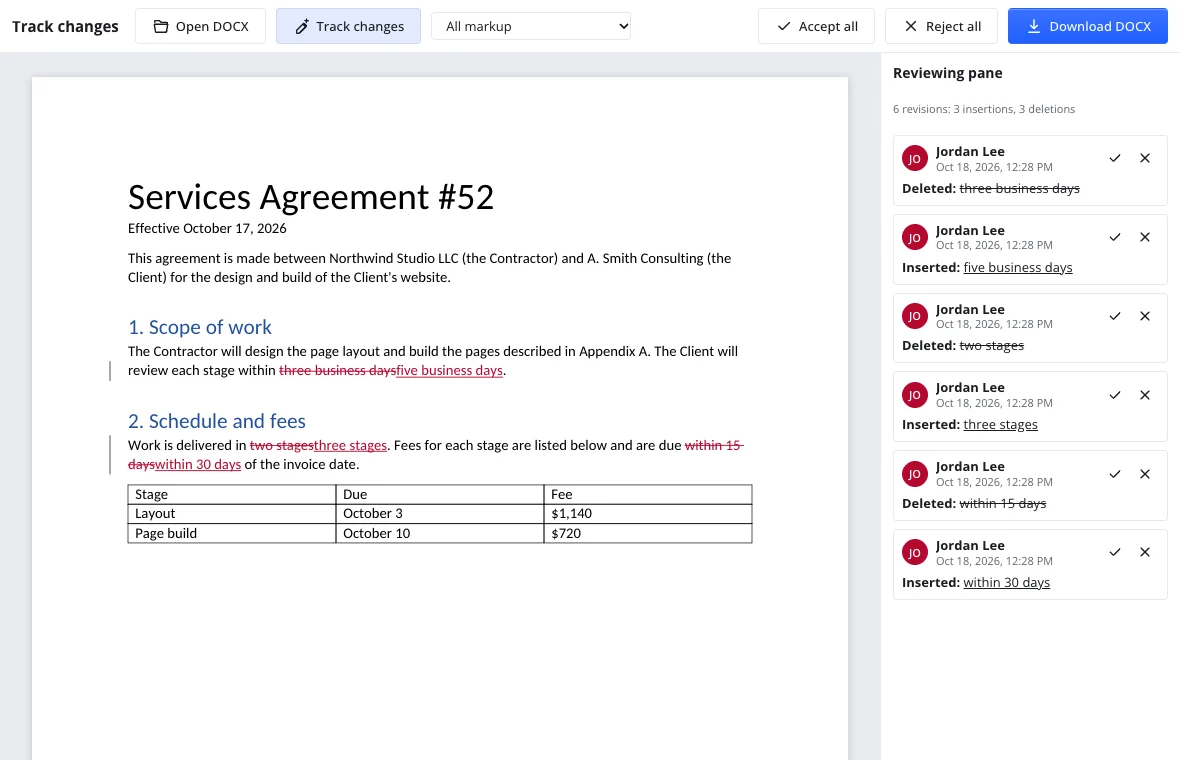
Edit and review
Type, delete and paste as usual: insertions are underlined, deletions struck out, and each reviewer gets their own colour. The Reviewing pane lists every change in document order, with its author, date and time, and buttons to accept or reject that one change.
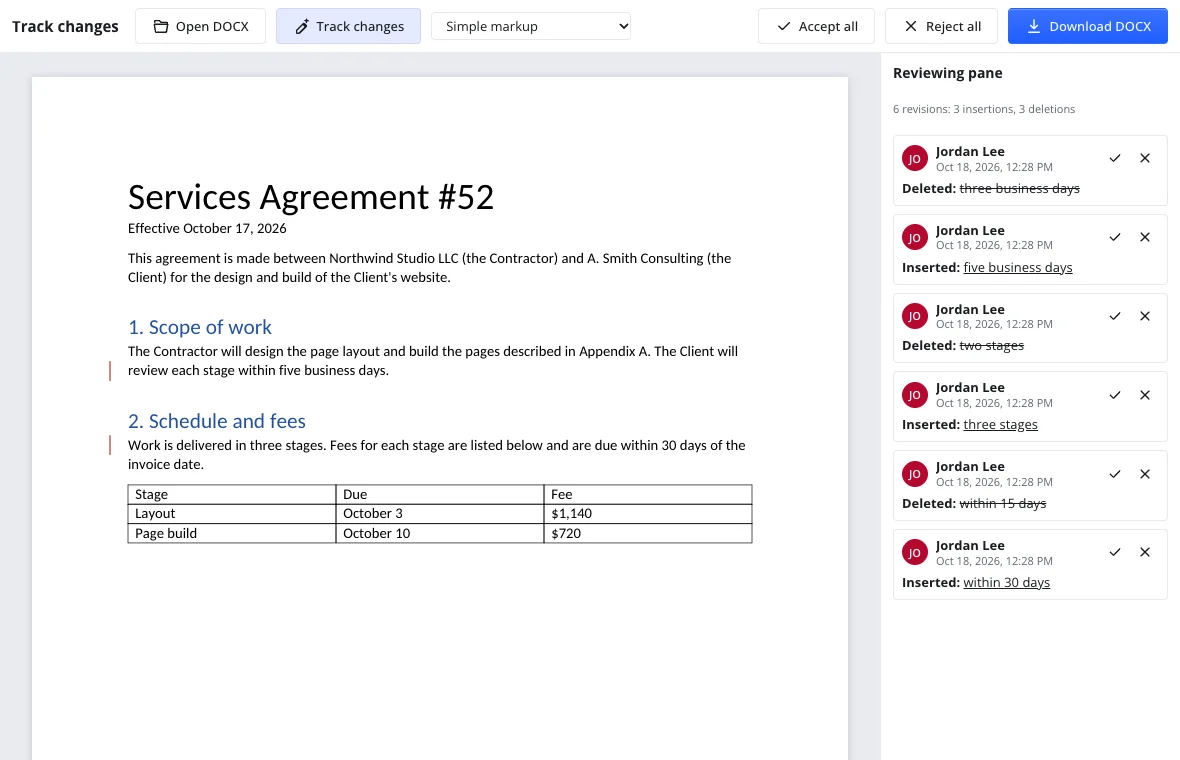
Accept, reject, download
Accept all or Reject all clears the markup in one step. Download DOCX keeps the changes as real tracked changes, so another word processor shows them and can accept or reject them too.
Use cases
Negotiating a contract
Both sides work on one DOCX: each clause change carries its author, and the other party accepts or rejects it instead of hunting through differently named versions.
A supervisor's edits on a paper
Your advisor's line edits and comments sit beside your own wording; accept the changes that sharpen the argument and answer the rest in the margin.
Job applications
A recruiter or friend suggests new wording in your cover letter; keep the edits you agree with, reject the rest and send a clean final file.
College applications
Proofread an essay with a teacher or counselor: every suggestion is visible and reversible, and the final draft is still written in your voice.
Can I track changes in an online Word document?
Yes. Open a DOCX with Open DOCX and the file is read in your browser; every insertion, deletion and formatting change you make is recorded as a revision. You do not need a desktop word processor or an account, and the document never leaves your device while you work. When you are done, download the DOCX with the changes intact.
Can I track changes in Excel online?
No. This tool reviews text documents in DOCX format, not spreadsheets, so there is no cell-level change tracking here. An XLSX file will not open on this page, and nothing will be marked up. The review tools are built for running text, paragraphs and tables inside a document, not for workbook cells, formulas or sheets.
Can I track changes in PowerPoint online?
No. Slides are not supported: this tool opens DOCX, DOTX and DOCM text documents and records changes in their paragraphs. It will not open a PPTX file or mark up slide content. For a presentation, review it in the slide editor you use; for a written script or speaker notes saved as DOCX, this page works as usual.
Does track changes work with LaTeX?
No. There is no LaTeX input or formula editor here: the tool works with DOCX documents and their text, tables and formatting. You can review a paper written in a word processor, but a .tex file will not open. If your manuscript is compiled from LaTeX, review the PDF separately or paste the text into a DOCX first.
Features
| Feature | What you get |
|---|---|
| Track changes on/off | Record edits for everyone or only for yourself, and lock tracking with a password. |
| Markup views | Simple markup, All markup, No markup and Original, so you can read the clean text or the full history. |
| Accept and reject | Handle one change, all changes shown, or every change at once. |
| Reviewing pane | Every change in document order with its author, date, time and what was inserted, deleted or formatted. |
| Compare and Combine | Turn two versions into one document: Compare shows differences as revisions, Combine adds the second file's changes. |
| Comments | Threaded comments with replies sit beside the text without altering it. |
| Download DOCX | The saved file keeps real tracked changes that other word processors can accept or reject. |
Privacy
Track changes runs in your browser. Without an account nothing is stored: closing the tab clears the document, so the file never sits on a server. To keep it, download the DOCX, or open the full editor and save it to your cloud storage after signing in. This edition follows GDPR, and the document stays in your own cloud space.
Frequently asked questions
Support: [email protected]
How do I track changes online?
Open a DOCX with Open DOCX, then type, delete or paste as usual: every edit is recorded as a revision with its author and the time. The Reviewing pane on the right lists the changes and lets you accept or reject each one. When the text is final, press Download DOCX to keep the changes as real tracked changes.
How do I track changes in an online Word document?
Open the DOCX in this page and start editing; recording is already on for a blank page, and an existing file keeps its history. Insertions are underlined, deletions struck out, and formatting changes are tracked too. You can switch between markup views, accept or reject changes in the pane, and download the file without installing anything.
How do I see the document without markup?
Choose No markup in the markup view list to read the text as it would look after every change is accepted, or Original to see the version before any edits. Simple markup and All markup show the changes in the text and in the Reviewing pane. The view only changes what you see; no edit is accepted or rejected until you say so.
Can two people edit the same document at the same time?
No. This tool does not support real-time co-editing, so two people cannot type in the same open document simultaneously. Instead, one person edits and downloads the DOCX, then the other opens it, adds their own tracked changes and sends it back. Compare and Combine help merge the two sets of edits into one file afterwards.
Can I compare two documents side by side?
There is no side-by-side view yet. Compare turns two versions into one document with the differences shown as tracked changes, which you then accept or reject. That gives you a single reviewable file rather than two panes, and Combine adds the second document's changes to the first as revisions.
Is it track changes or tracked changes?
Both are used. Track changes is the name of the command that starts recording, while tracked changes are the revisions themselves once they are in the document. This page uses the same convention: turn on tracking, make tracked changes, then accept or reject them. Your downloaded DOCX keeps them as tracked changes for other word processors.
Is it free? Is there a watermark?
Yes, it is free. Opening a DOCX, recording changes, the Reviewing pane and the download cost nothing, with no trial period and no watermark on the file. An account is only needed to save the document to cloud storage and open it on another device; without one, you can still download the DOCX to your computer.
Is it safe to upload documents?
Nothing is uploaded: the DOCX is read in your browser, and the review runs on your device. Without an account, closing the tab clears the document and no copy is stored. This edition follows GDPR, and if you sign in and save from the full editor, files stay in your own cloud space.
More tools
Spell check
Spell check online: find and fix misspelled words in text or a document.
Word counter
Count words and characters live, plus reading and speaking time.
DOCX to PDF
Convert documents to PDF in the browser with the layout intact.
Letter template
Printable letter templates: cover, business, resignation, thank-you and more.
Resume template
Make a resume online: pick a template, fill it in, download DOCX or PDF.
Documents
A full word processor in the browser, from cover letters to term papers.
Track changes online: review a Word document in the browser
Track changes online: review a DOCX, accept or reject edits, download the result.
Open the editor