Word counter and character count
Paste your text or open a document to see the word count, character count with and without spaces, sentences, paragraphs and pages — updated with every keystroke.
- Words and characters
- Sentences, paragraphs, pages
- Counts for a selection
- Opens DOCX, TXT and HTML
- Works with
- .docx
- .dotx
- .docm
- .txt
- .md
- .html
How to check a word count online
Paste or type
Click the page and paste with Ctrl+V (Cmd+V on a Mac), or start typing. Pasted formatting is kept but never changes the count.
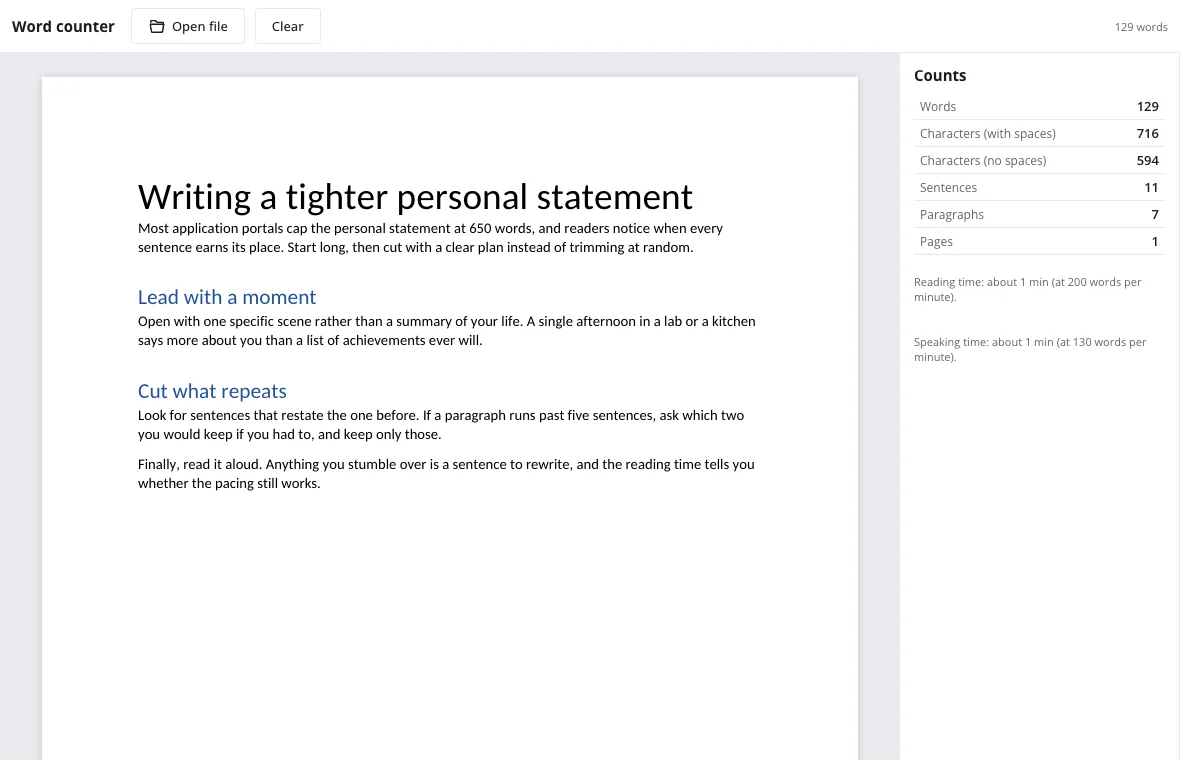
Or open a file
Open file reads a DOCX, TXT, Markdown or HTML document inside your browser. Nothing is uploaded.
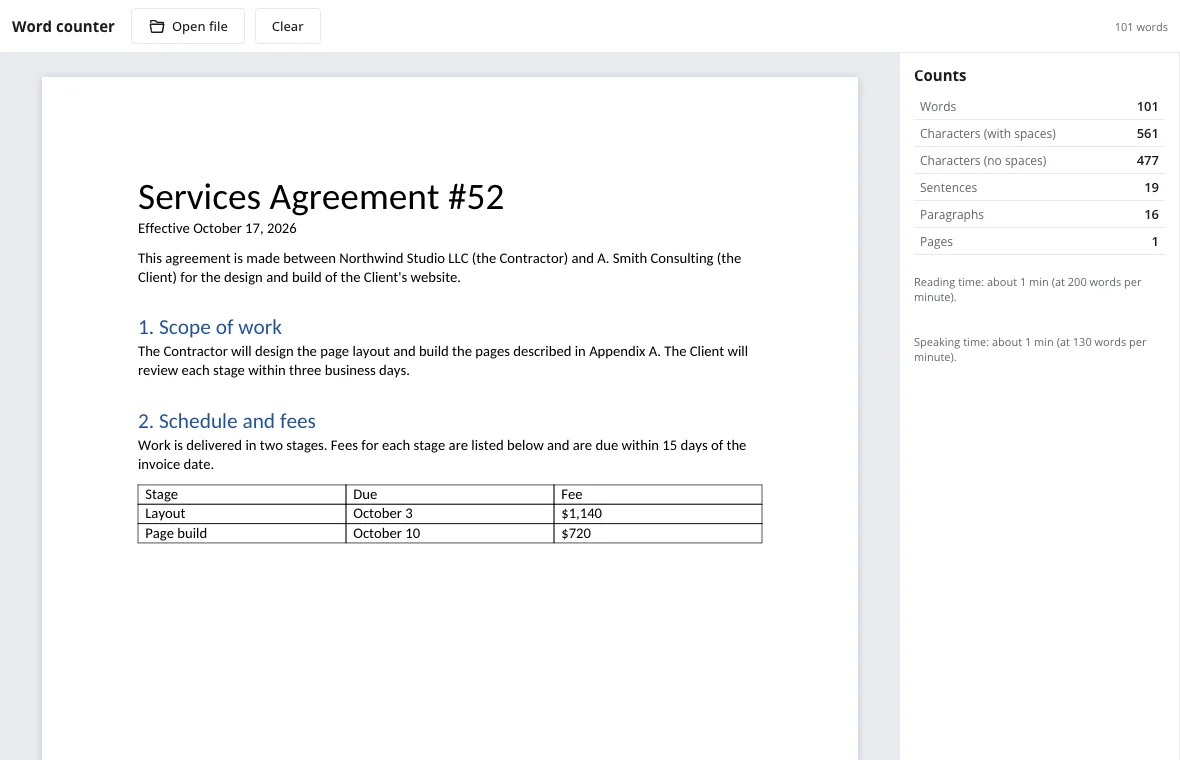
Read the Counts card
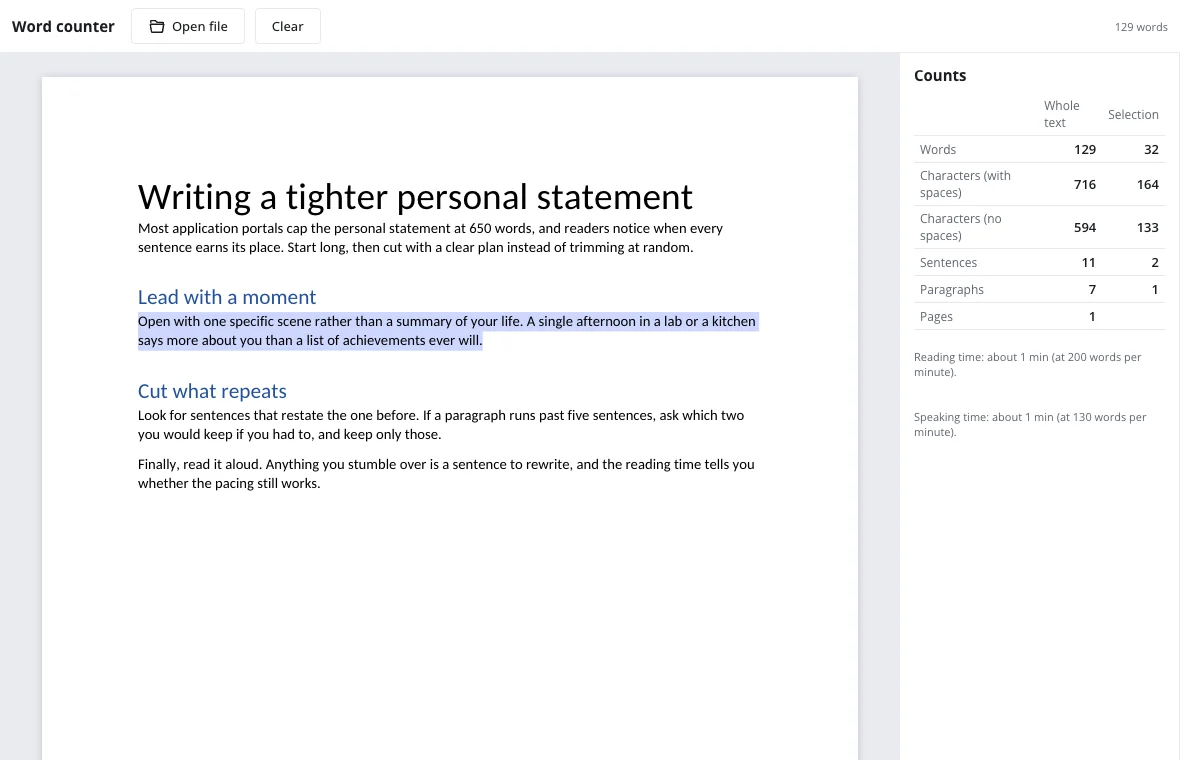
Words, characters with and without spaces, sentences, paragraphs and pages appear on the right. Select text to see a Selection column next to the totals.
How the word counter counts
- A word is a run of letters and digits; hyphens and apostrophes don't split it, so well-known and it's count once.
- Characters with spaces counts everything; characters without spaces leaves out spaces, tabs and line breaks.
- A sentence ends with a period, question mark, exclamation point or ellipsis.
- Body text and tables count; headers, footers, footnotes and text boxes don't.
Word count limits you'll run into
Reading time assumes 200 words per minute and speaking time 130, both rounded up to the next minute.
| Writing | Typical limit | Count to watch |
|---|---|---|
| College application essay | 650 words | Words |
| Journal abstract | 250 words | Words |
| Meta description | 155–160 characters | Characters with spaces |
| Five-minute talk | About 650 words | Speaking time |
Character count online, with or without spaces
Most limits on the web are measured in characters with spaces: search snippets cut off around 155–160, push notifications and SMS-style messages have hard caps, and many forms count every keystroke. Some translators and publishers price work by characters without spaces instead, because spacing varies between languages. The Counts card shows both at once, so you can trim to either rule without switching tools.
Need the count for one field of a form? Paste just that text, or select it on the page — the Selection column gives its own numbers next to the totals.
Count words in a document you already have
There is no need to copy text out of a file: Open file reads DOCX, TXT, Markdown and HTML right in the browser. For a DOCX the page size and margins come from the document itself, so the page count matches the printed one. The main text and tables are counted; headers, footers, footnotes and text boxes are not, which is how most word limits are applied. Before you send the final draft, a pass through spell check catches the typos the count will not.
Private by design
Counting runs in your browser. Your text never reaches a server and disappears when you close the tab, so it's safe for unpublished drafts and client work.
Frequently asked questions
Support: [email protected]
How do I check a word count online?
Paste your text into the page above or open a file with Open file. The word count appears instantly on the Counts card, together with characters, sentences and paragraphs, and it updates as you edit — no button to press.
What's the difference between character count with and without spaces?
Characters with spaces counts every symbol including spaces and punctuation, which is how social networks and search snippets measure length. Without spaces leaves out spaces, tabs and line breaks, which some publishers and translators use for pricing. The Counts card shows both numbers at once, so you can trim to either limit.
How do I count words in just part of my text?
Select the part with your mouse, or hold Shift and use the arrow keys. A Selection column appears next to the totals with words, characters, sentences and paragraphs for that part only. The totals for the whole text stay visible, so you can compare the two. If selecting is awkward, paste just that text on the page instead.
Is there a word limit on this counter?
No fixed limit and no daily cap. Long documents with hundreds of pages count fine; very large files simply take a moment longer to open on slower phones or older laptops. Open file reads DOCX, TXT, Markdown and HTML, so you can count a whole document without pasting it.
Why does my count differ from another app?
Apps treat hyphens, numbers and stray symbols differently. Here hyphens and apostrophes join words and a lone dash isn't a word, so results usually differ by less than one percent. Some apps also count headers, footers and footnotes while others leave them out; here only body text and tables count.
How many pages is 1,000 words?
About two Letter pages of single-spaced 11-point text in this layout, or four double-spaced. Paste your own text to see the exact page count with your formatting. Open a DOCX and the page count comes from its own page size and margins, so it matches the printed document.
More tools
DOCX to PDF
Convert documents to PDF in the browser with the layout intact.
Letter template
Printable letter templates: cover, business, resignation, thank-you and more.
Resume template
Make a resume online: pick a template, fill it in, download DOCX or PDF.
Spell check
Spell check online: find and fix misspelled words in text or a document.
Track changes
Track changes online: review a DOCX, accept or reject edits, download the result.
Documents
A full word processor in the browser, from cover letters to term papers.
Word counter and character count
Count words and characters live, plus reading and speaking time.
Open the editor